03. Manage My Account
people found this article helpful
After the registration is completed, you can sign in to the platform. When you sign in the My Account page opens:
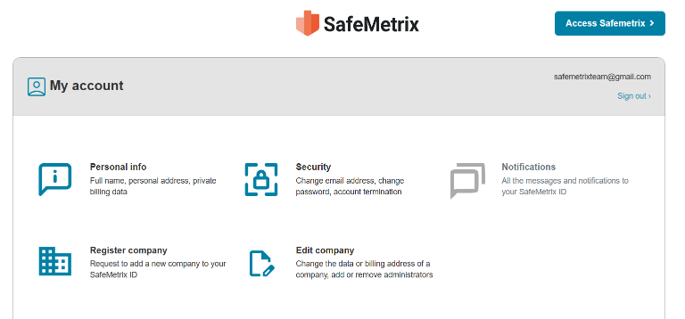
Personal Info
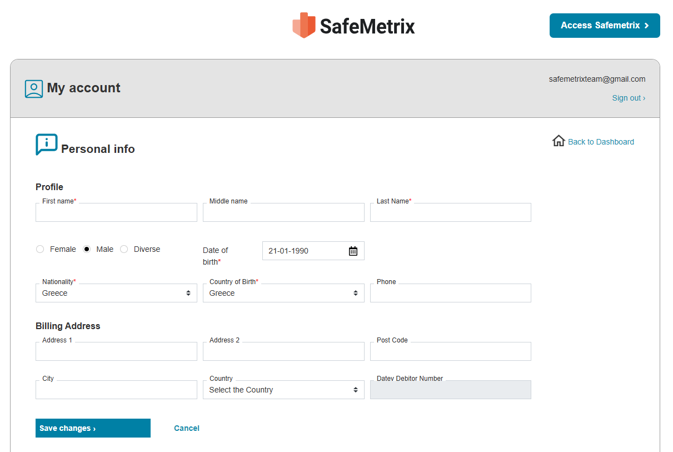
When signing in, the My Account page opens. Click on Personal Info to edit personal information, such as First name, Middle name, Last name, Gender, Date of Birth, Nationality, Country of Birth, Phone Number, and Billing Address.
When all the personal details are filled in, click on Save Changes. If no changes are required, click on Cancel.
To return to the My Account page, click the Back to Dashboard icon in the top right.
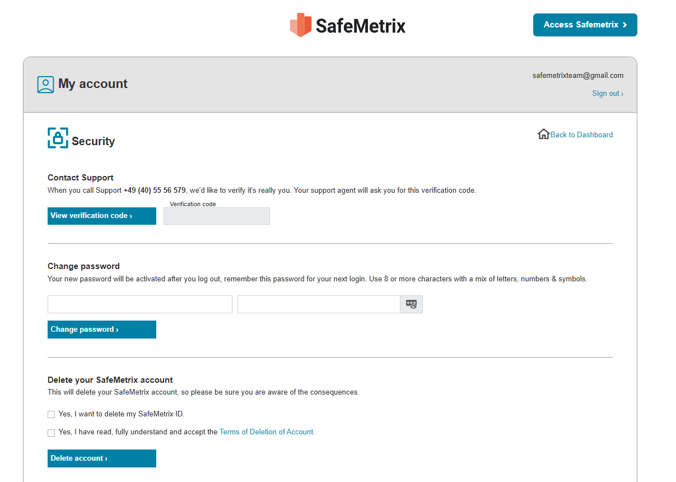
Security
When signing in, My account page opens. Click on the Security to change security information.
For security reasons, when Support is contacted via phone call, a Verification Code will be asked. This is to verify the authenticity of the contacted person. To generate a unique code, click on View verification code.
The registered SafeMetrix Account can also be deleted. To delete the account, both the boxes need to be ticked (Yes, I want to delete my SafeMetrix ID and Yes, I have read, fully understand and accept the Terms of Deletion of Account). In order to complete the deletion, click on Delete account.