05. Business Admin menu
people found this article helpful
Part of the SafeMetrix platform is the Users management menu. Click on the Users management tab on the left-hand side to manage the Business Admins, Company Admins, and End Users.
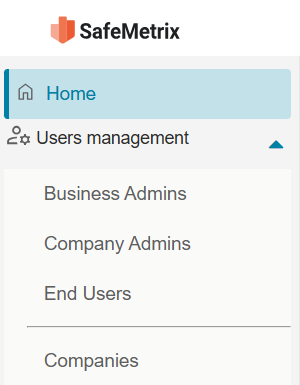
Once an option is selected, the related content is displayed on the right.
The menu subtopics can be expanded or collapsed.
There is a Search field as well as filtering options by First name, Last name, Email, and Date to easily locate a user.
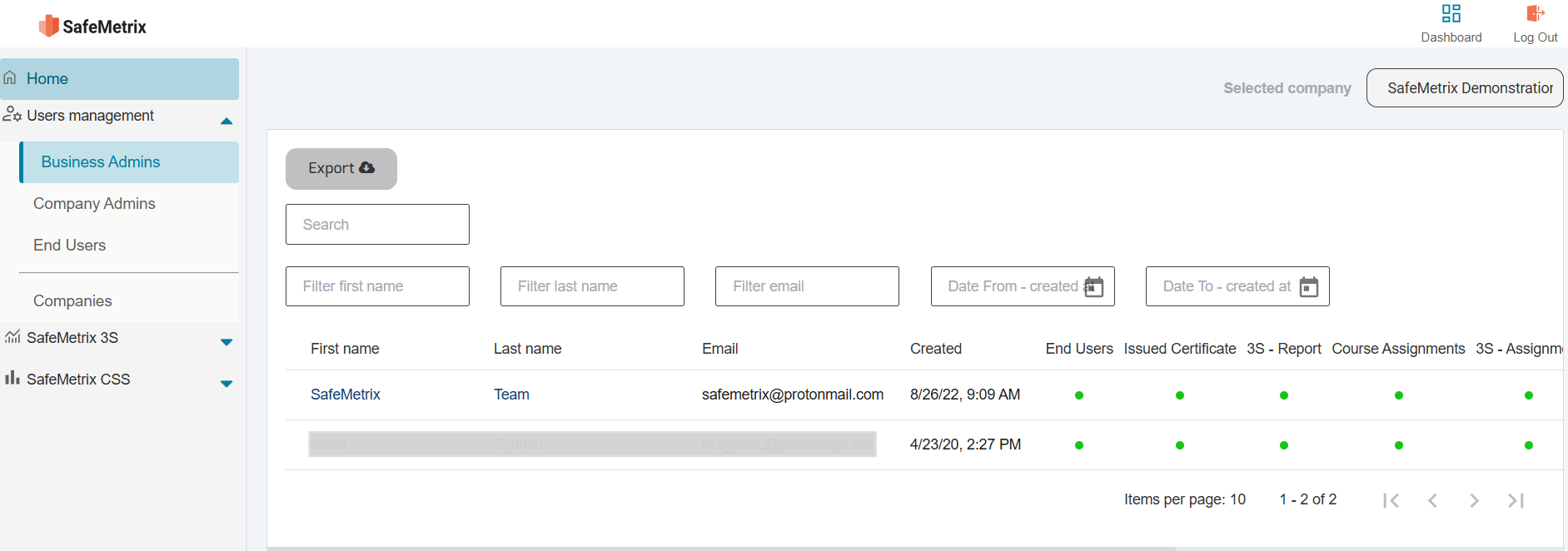
The top right corner displays the Company name that has been registered by the Business Admin.
Business Admin Functions
The Business Admin has full administrative rights and has access to all functions available:
- Invite new Business Admins
- Create new user accounts (Company Admin and End User in the SafeLearn LMS platform).
- Assign/reassign courses, monitor user activities, and download reports.
- Edit Company details, and register additional Companies.
Remove a Business Admin
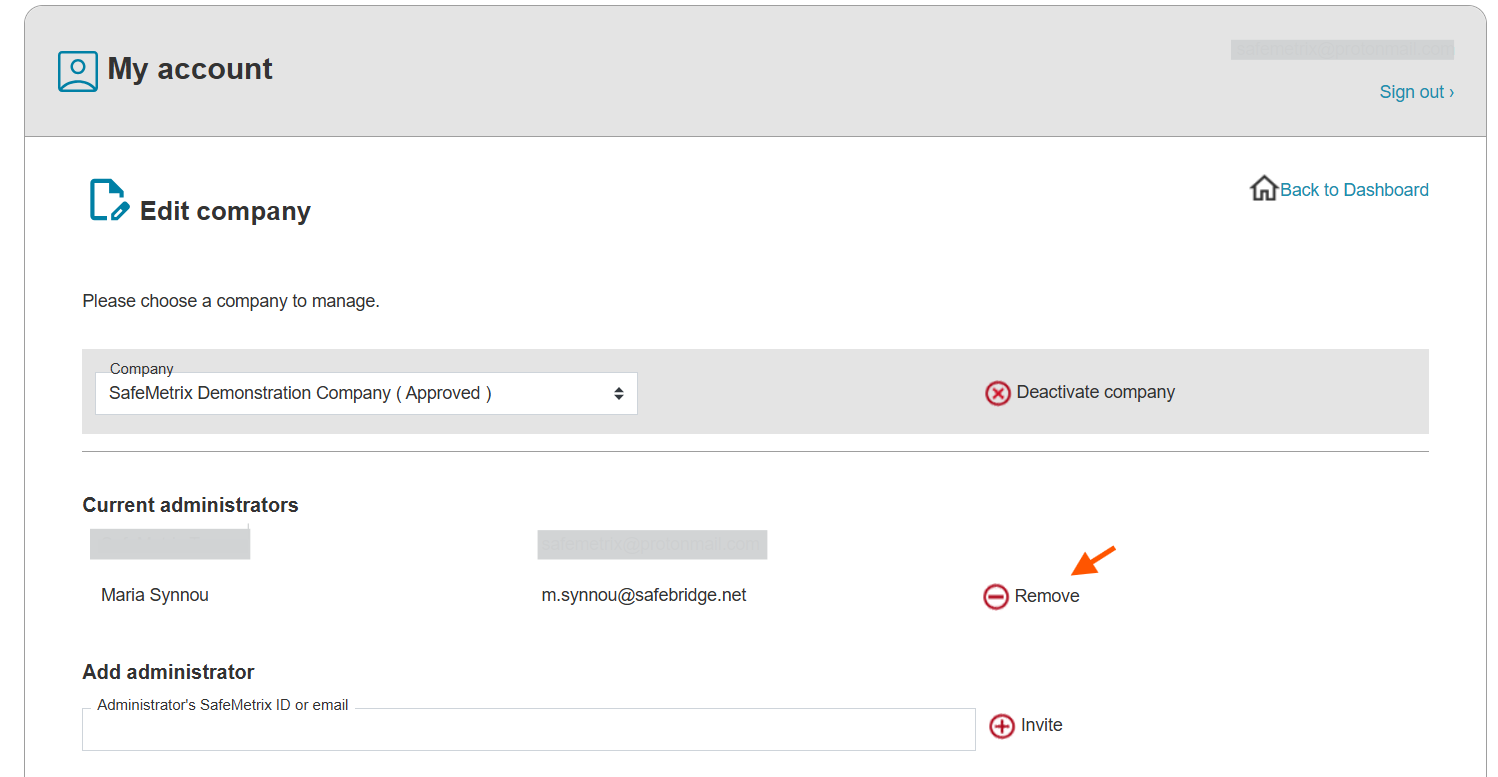
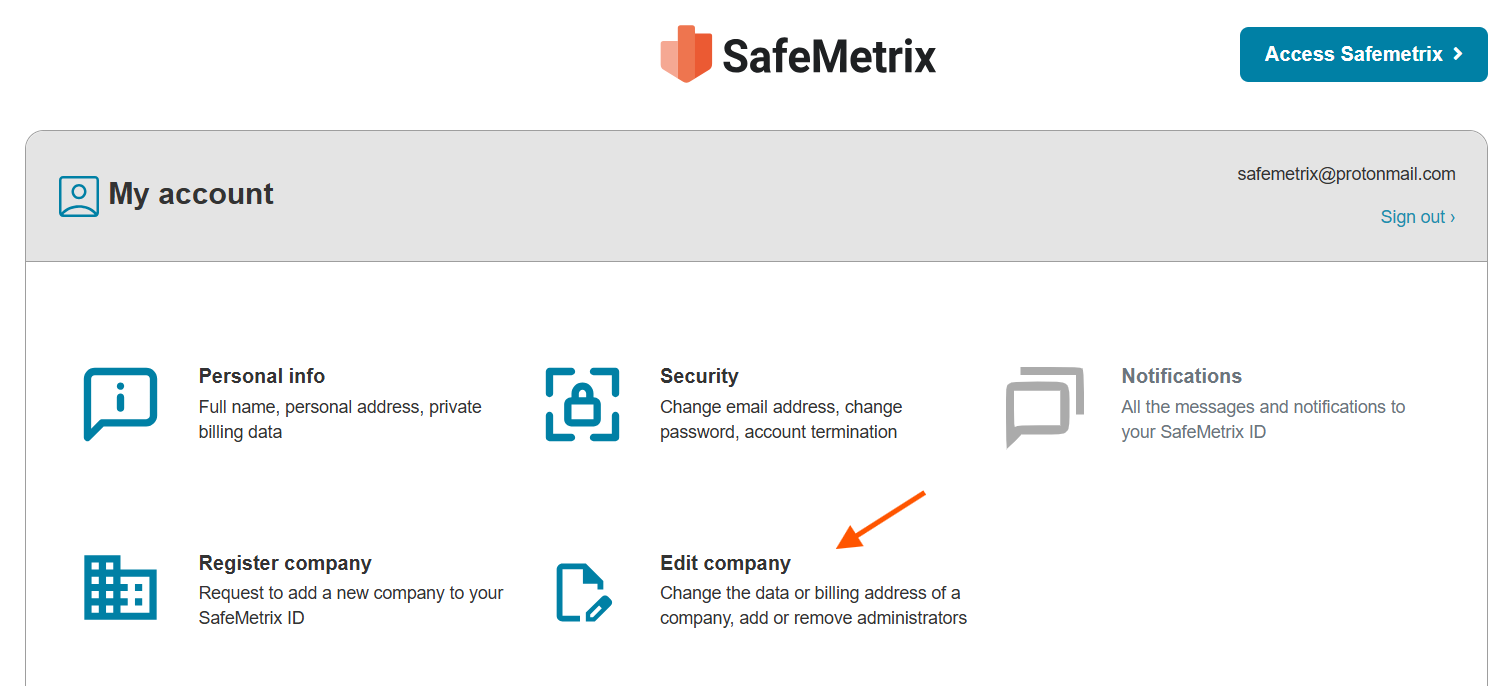
To remove Business Admin rights, access the My Account page, and click the Edit company icon.
Find the user under the Current Administrators, and click the Remove icon.