06. Company Admin menu
people found this article helpful
A Company Admin account can be created by the Business Admin to assist with administrational tasks on the SafeMetrix platform.
Company Admin Functions
Company Admin rights are limited to the below functions:
- Add new End Users.
- Assign/detach/reassign assessments (if not started).
- Monitor user activities.
- Download reports.
Create Company Admin
To add a Company Admin, navigate to the Users management panel on the left. Click on the Company Admins from the menu and then on Create Company Admin (grey button).
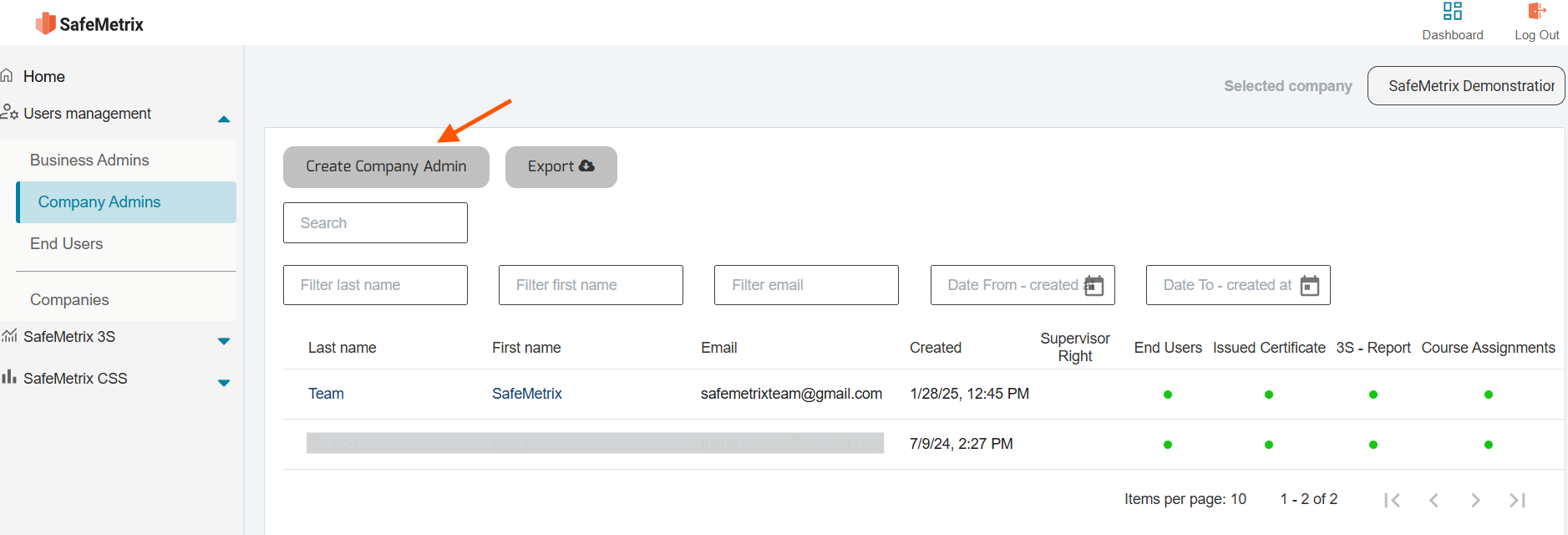
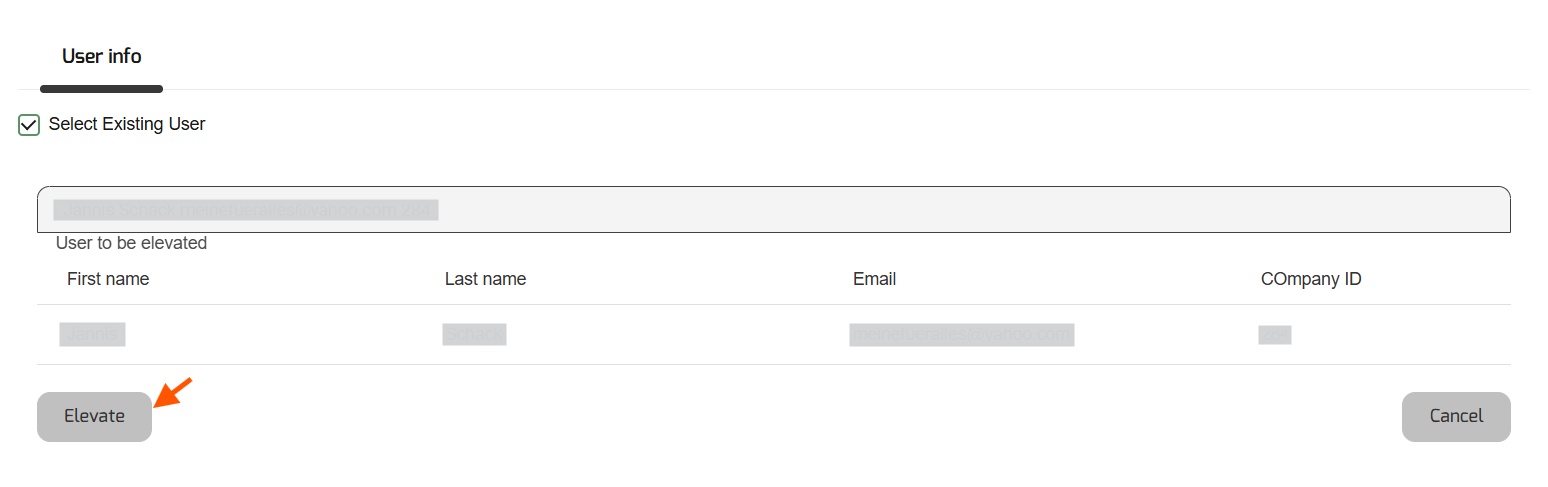
Either an existing End User can be elevated to a Company Admin or a new account can be created.
To elevate an existing End User, tick the box Select Existing User and a list of all registered End Users will appear within the Search user field. Click on the field to select the End User and then on Elevate (grey button).
To create a new Company Admin, complete the form by filling in each of the fields with the user’s details.
Once completed, click on Create (grey button) at the bottom.
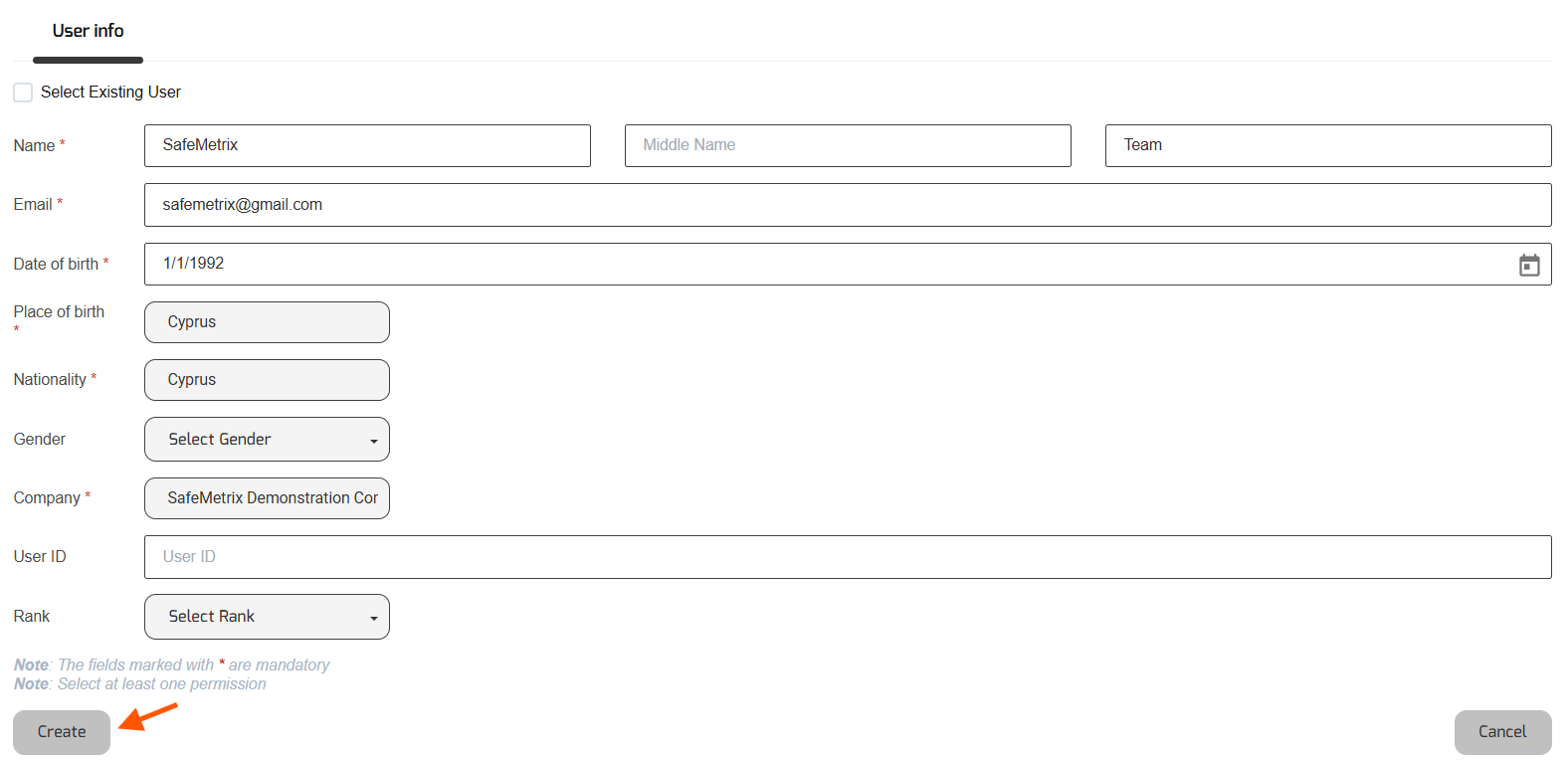
Note: All fields marked with * are mandatory.
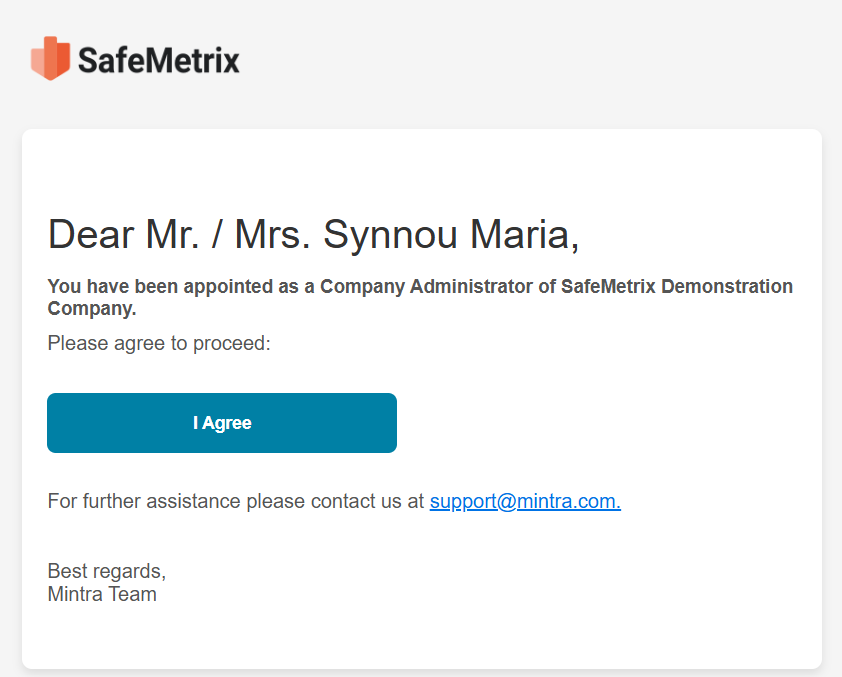
An email with the title You have been granted additional permissions will be sent to the End User. The End User will have to click on I agree to accept the invitation and proceed to the Sign In page.