04. License Overview
people found this article helpful
How to Manage Licenses:
On the License Overview page, you can see:
-
Available licenses remaining in your portal.
-
Consumed licenses that have already been used.
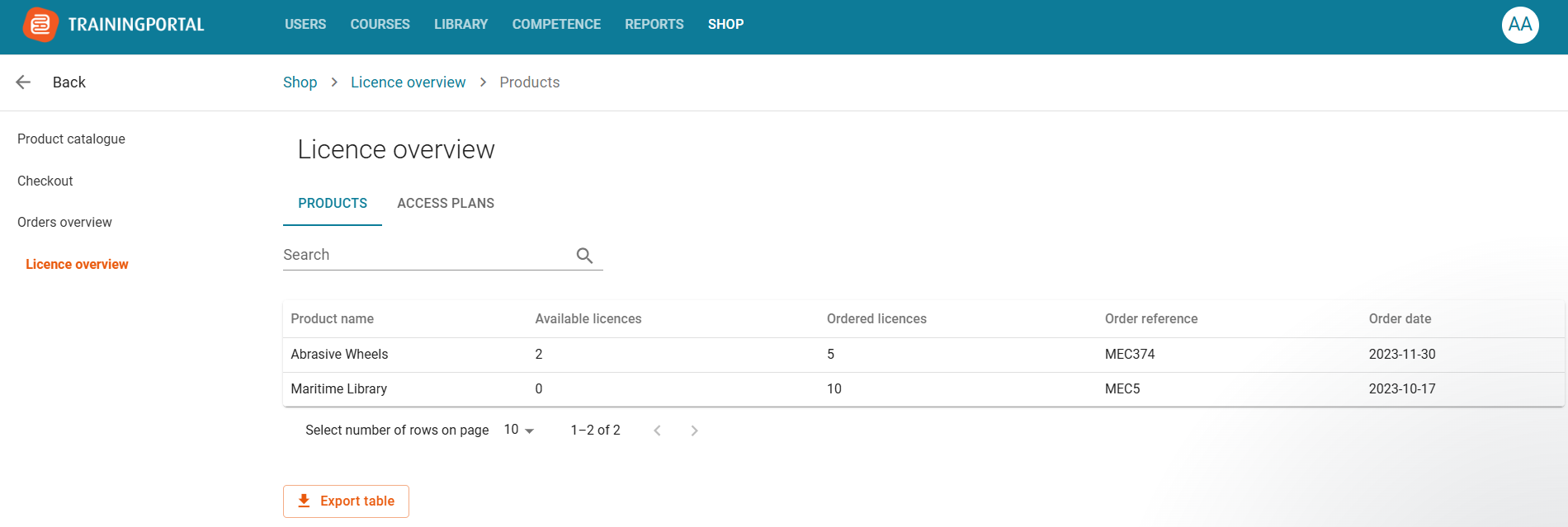
If you are an admin linked to more than one portal, you can transfer licenses from one portal to another.
To do this:
1. Click “New license transfer”.
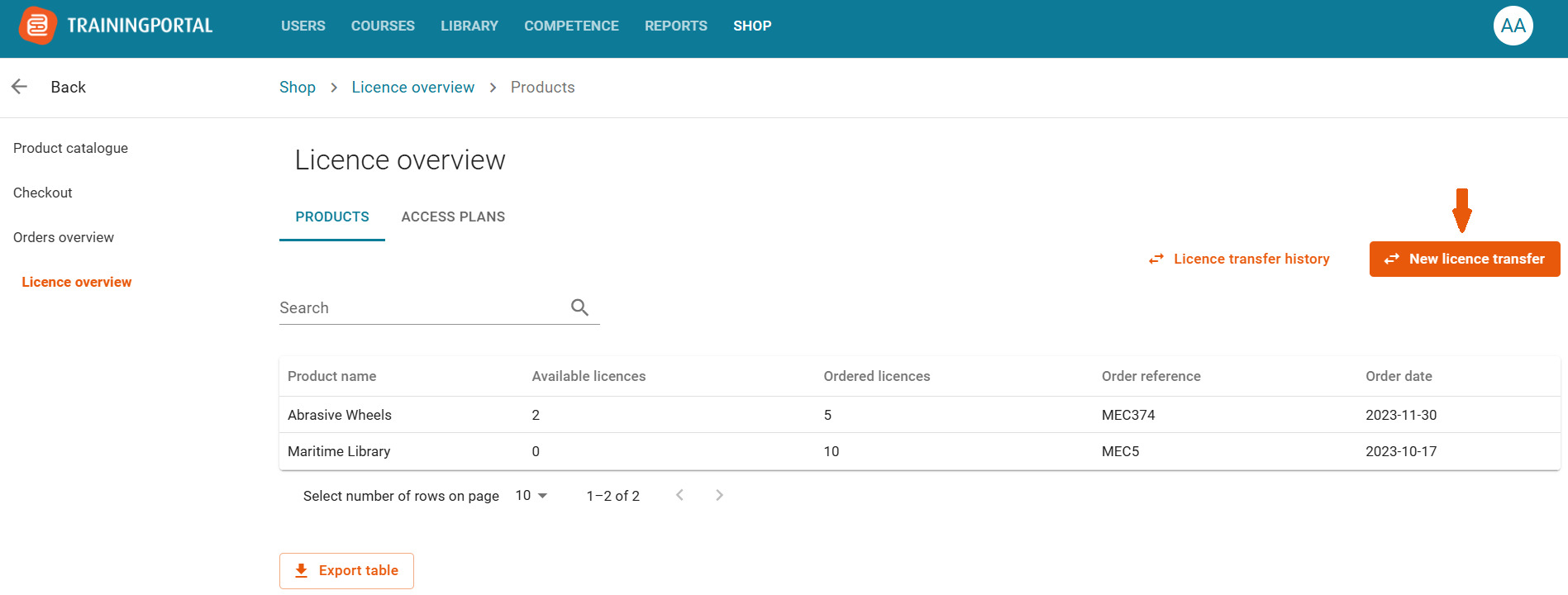
2. Select the order from which you want to transfer licenses.
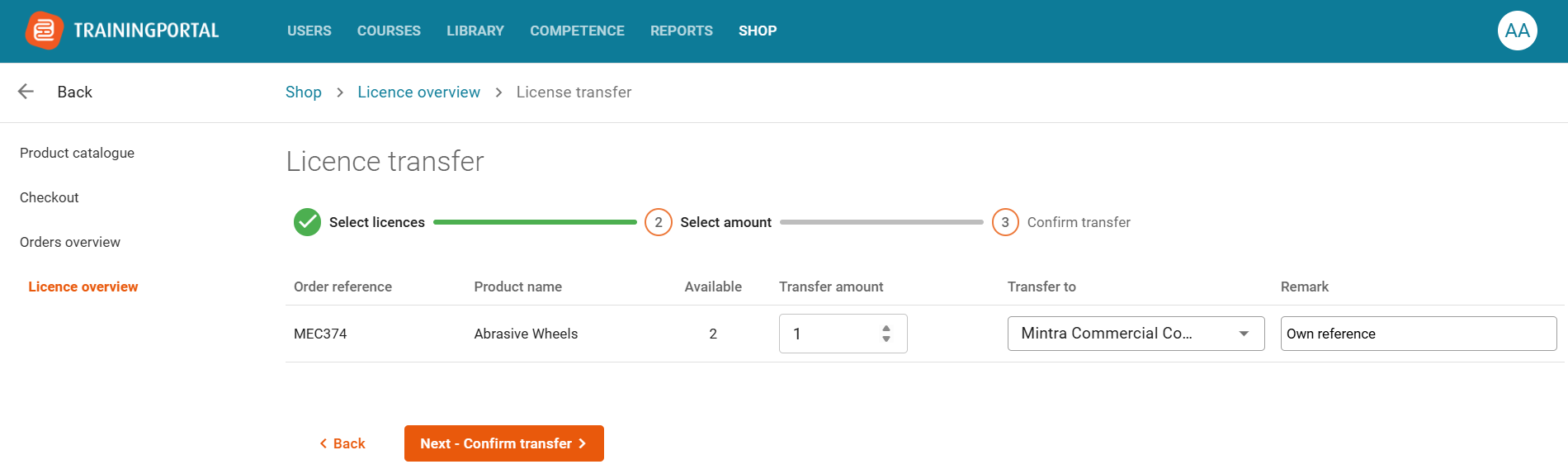
3. Enter the number of licenses to transfer, choose the destination portal, add a remark (optional) for your own reference and proceed to the next step to review your selections.
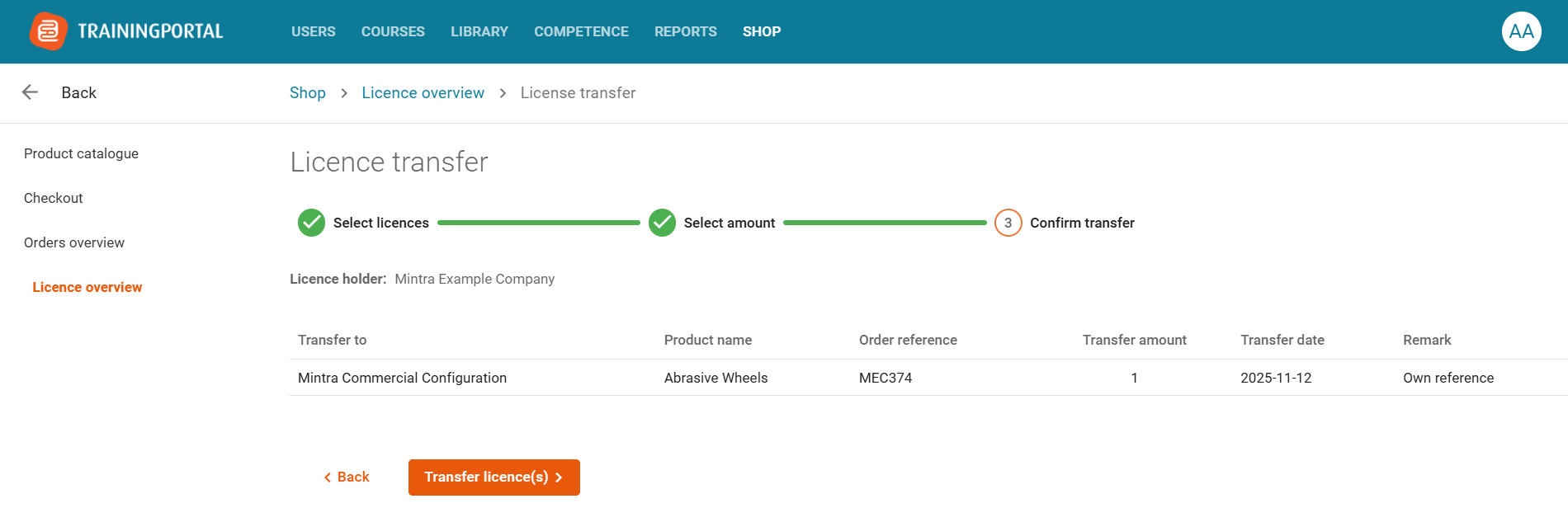
4. Verify your input and click Transfer license(s) to complete the transfer.
To see past transfers, click “License transfer history.”
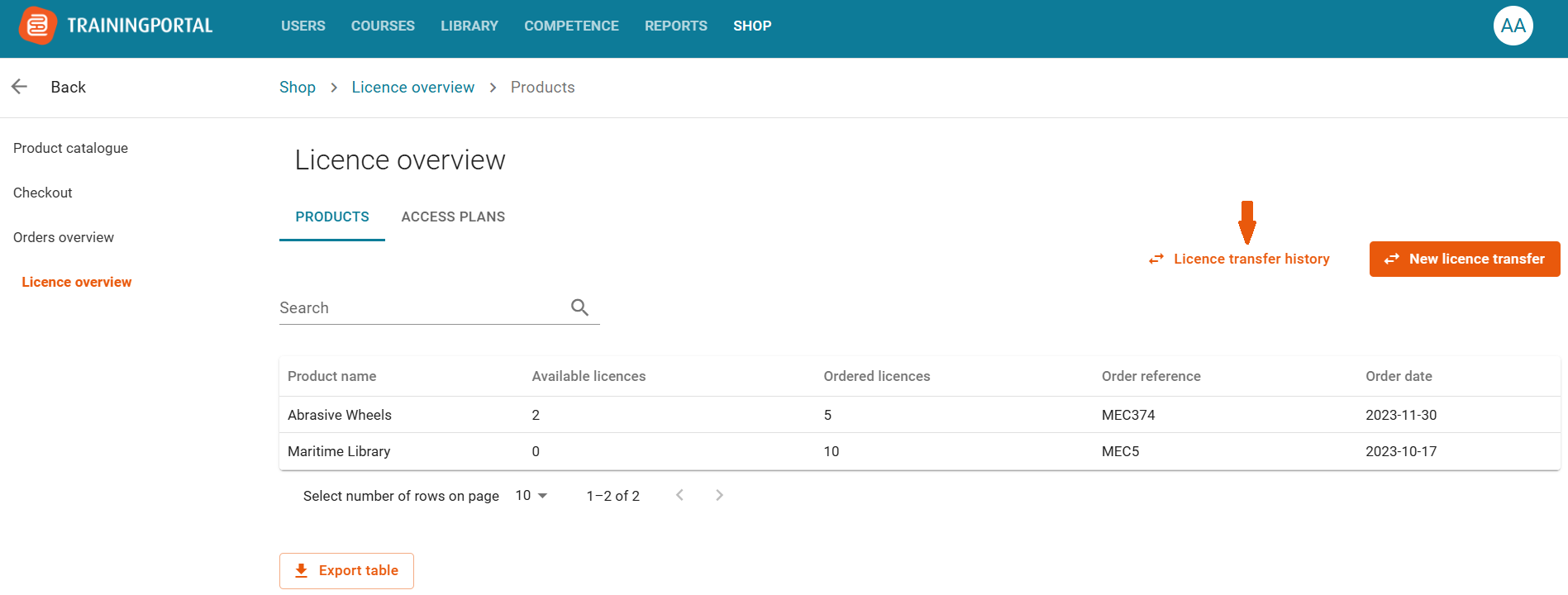
From there, you can:
-
View all transfers to and from the portal.
-
Filter results.
-
Export the transfer history.
Please note that this feature is automatically available for admins associated with multiple portals.
