05. How to Assign Seats
people found this article helpful
If you have an active access plan (subscription), you need to assign seats to your users so they can access all courses included in the plan.
To assign a seat:
-
Create the user (if they are not already added to your portal).
-
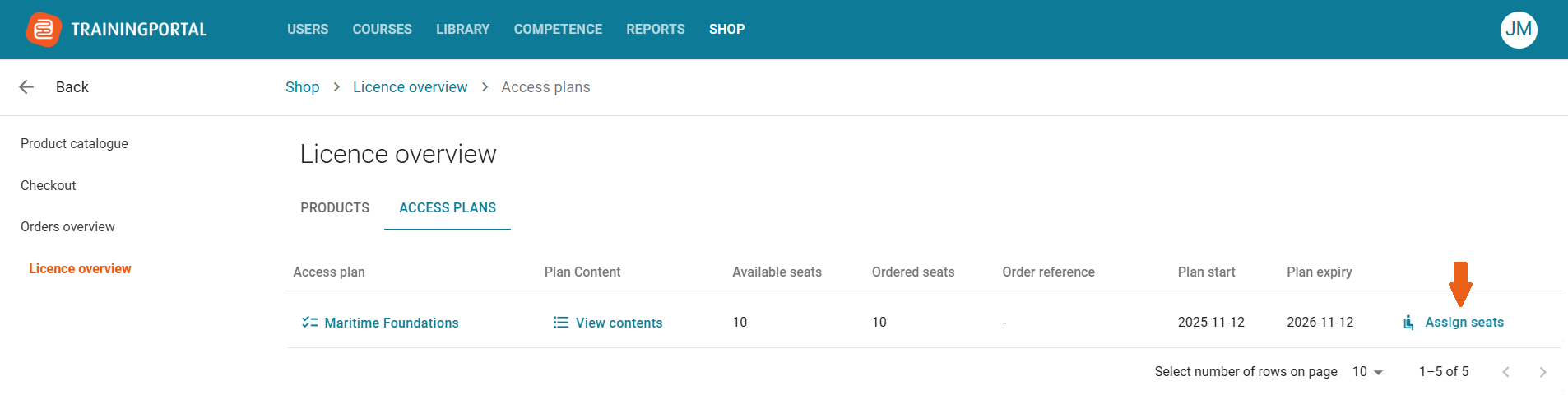
Go to Shop → License Overview.
-
Open the Access Plan tab.
-
Click “Assign seats.”
5. Select the user you want to assign a seat to and confirm.
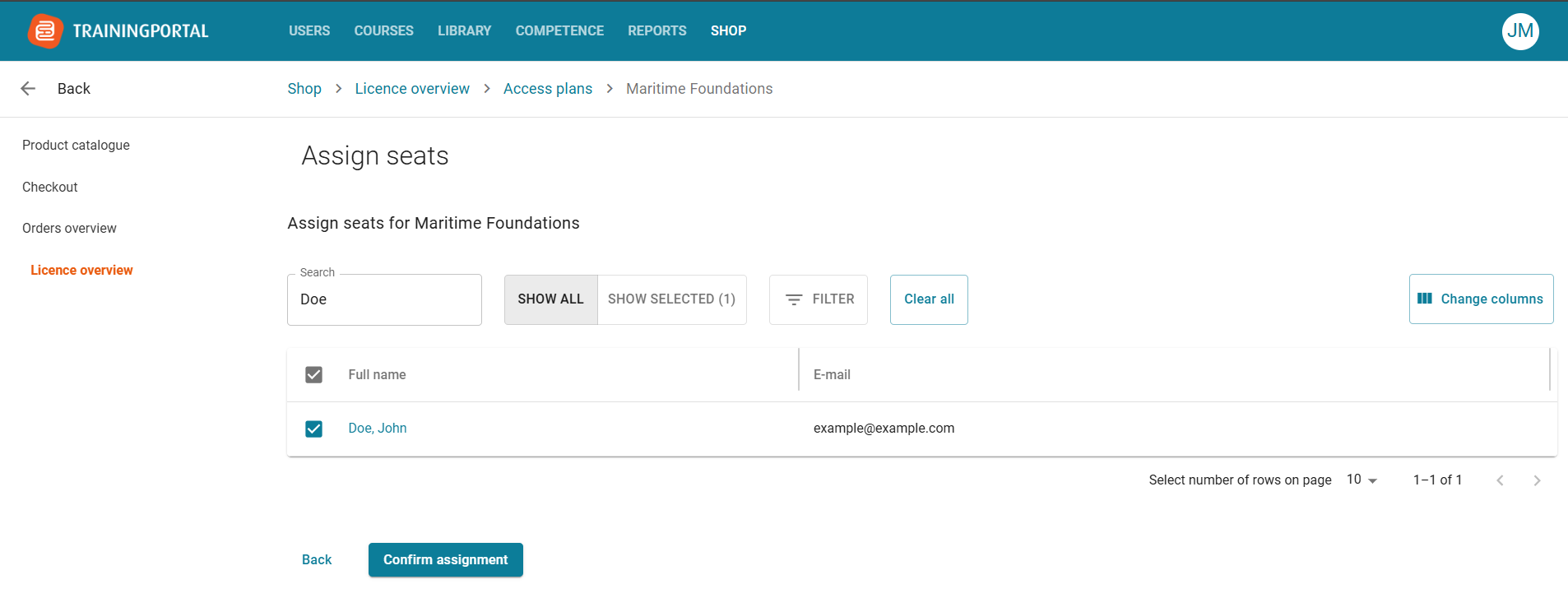
Once confirmed:
-
The user will immediately have access to all courses included in the access plan for self-enrolment.
-
If course automations are enabled, those courses will be automatically assigned.
