01. Due Dates
people found this article helpful
What are due dates?
Due dates allow you to explicitly state a target completion date for a users enrolment.
This is clearly communicated to the user on their active courses page allowing them to prioritise courses that may be more important to complete sooner than others.
How can I set a due date?
When enrolling a user to a course [Enrol Users to Courses], either from a course itself, an individual user account, or multiple users at once, you will receive an extra step in the enrolment wizard.
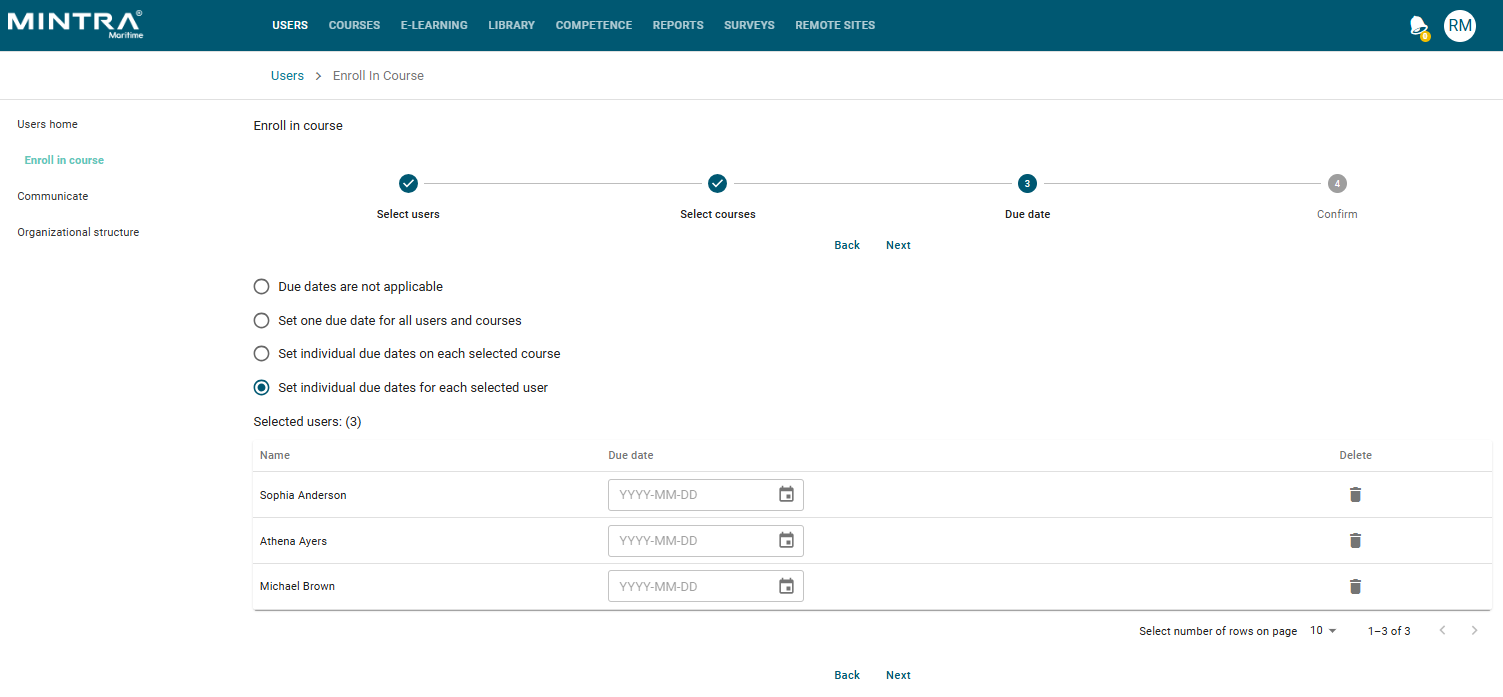
In this step you can decide if you wish to set:
- No due date, continuing with a standard course enrolment.
- One due date for all users and courses.
- Individual due dates for each selected course.
- Individual due dates for each selected user.
You will then be presented a calendar date picker allowing you to choose your specific due dates.
Can I change a due date for an existing enrollment?
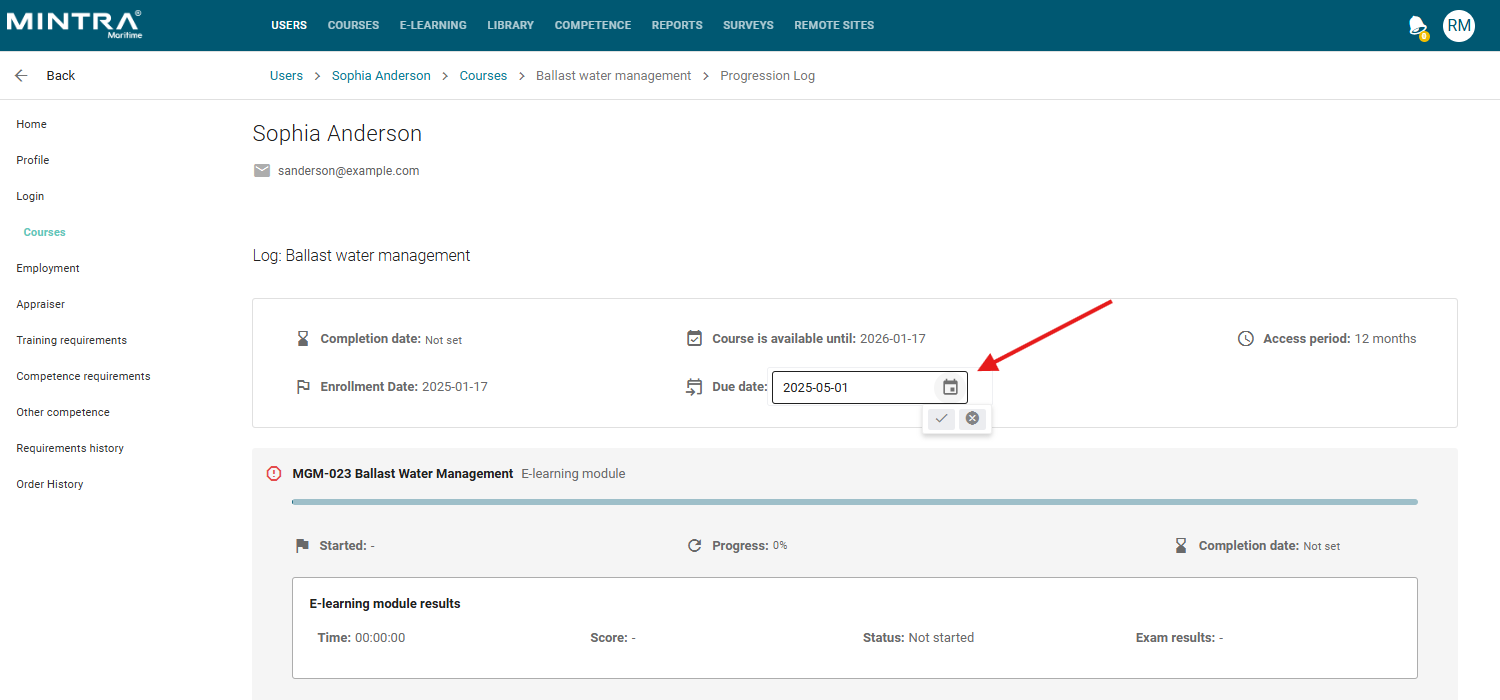
To add or change a due date on an existing enrollment, you can navigate to the users enrolment on the admin UI, enter the course progress section and set this to a value in the new due date calendar picker.
How will this show to the user?
When a student logs into their account, the due dates, if set, will be clearly visible at the top of their active courses.
This allows them to view the courses that are the highest priority with ease.
The banners that show will be colour coded:
- Red - Due date has passed.
- Yellow - Due date is soon.
- Grey - Due date is in the future.

Where else can I use due dates?
The due date functionality can be used on our new notification templates.
To add this notification you can navigate to a course then click the notifications section on the left, then add new.
The new notification event is called: Course Enrollment Overdue Notification.
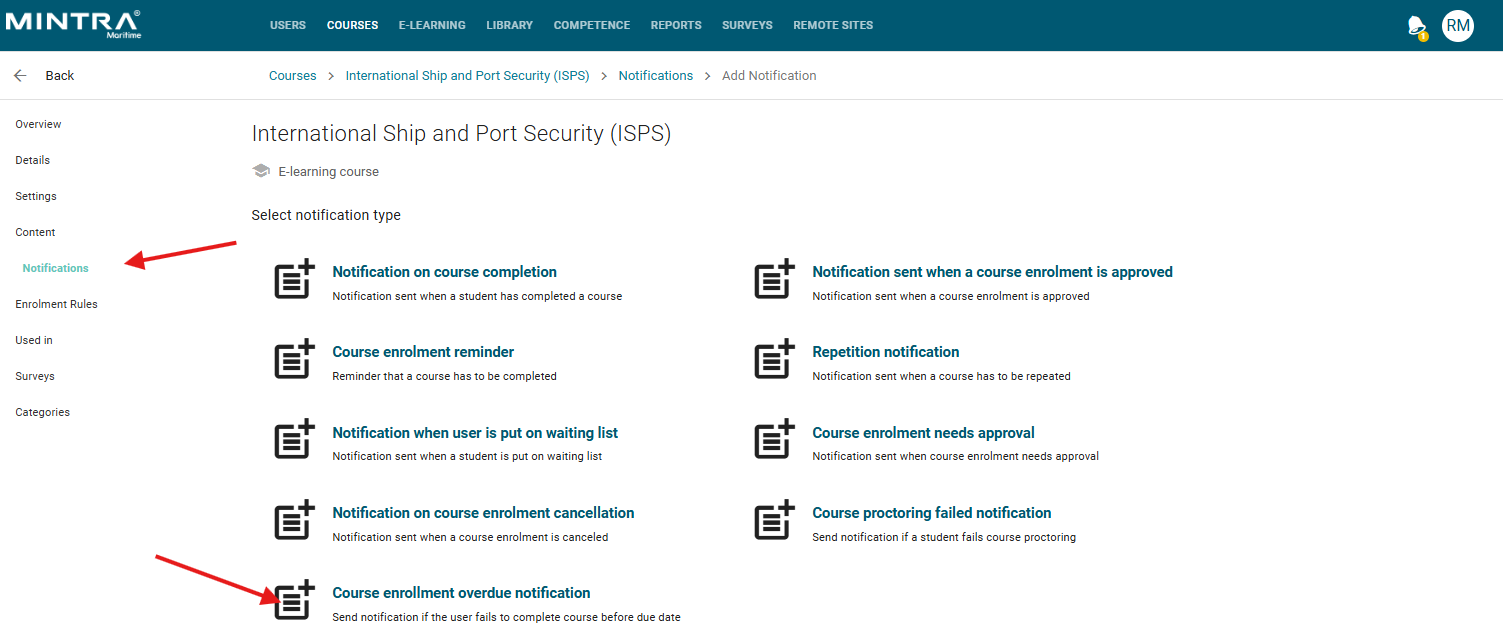
Within this template you can send a notification to a user, the enroller, a manager or specific email address based on "Days before Due Date".
You will also see the due date, if set, in the reports as a new optional column to include called "Enrollment Due Date".