01. Verifier Overview
people found this article helpful
Access to review Assessors, Competence & Candidates
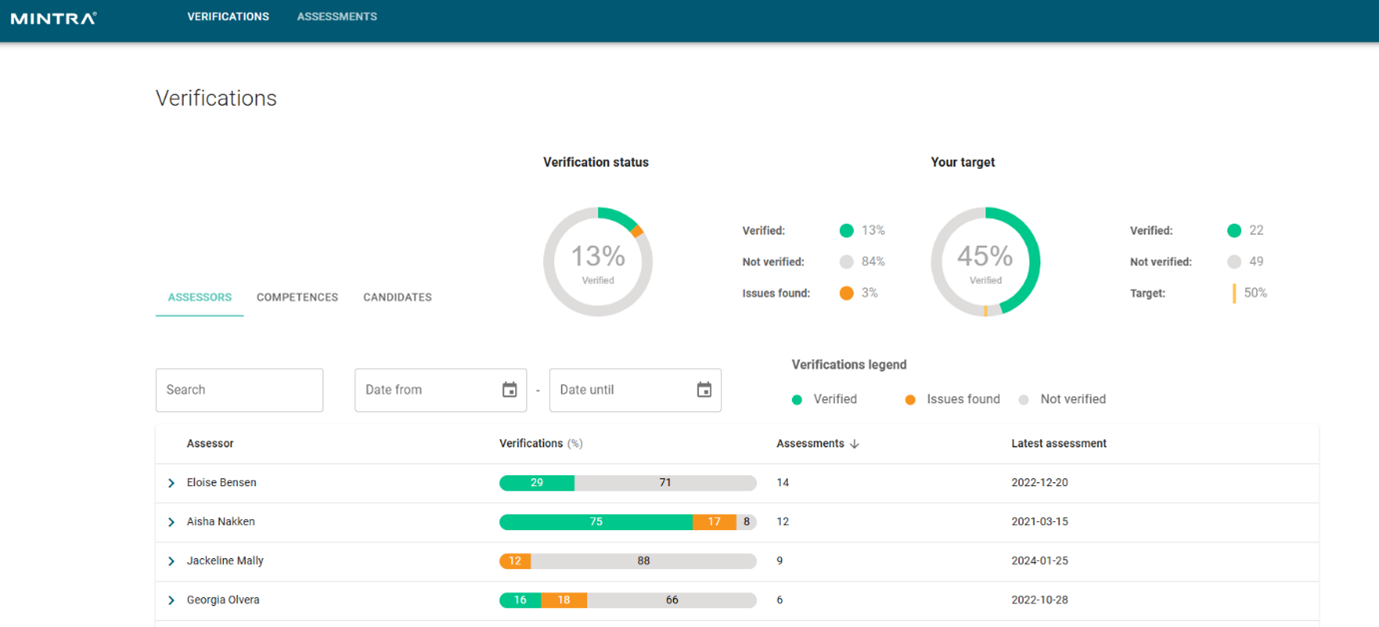
Located on the verifications tab, you can choose to view assessments by choosing specific Assessor’s or Candidate’s. By selecting the desired assessor, the view expanded to show the competence/assessment which has been reviewed.
From the candidate tab, this can be filtered based on the Assessment Date or Organisational Unit. You are also able to use the search field.
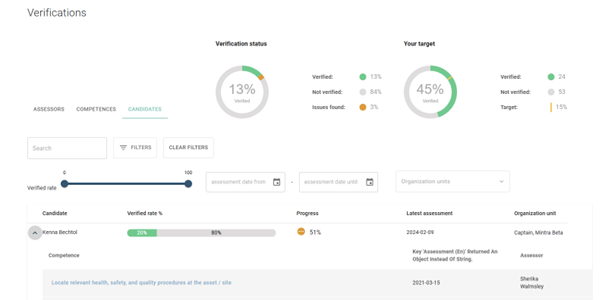
From the main verifications page, you can also review your target verification percentage. As you progress through the verification list, you will see the status update with each assessment that you review. If you are filtering the list by candidate, you can also see the progress that they have made on their own requirements. The verification rate is available per candidate and also per assessor.
Verify the Assessment
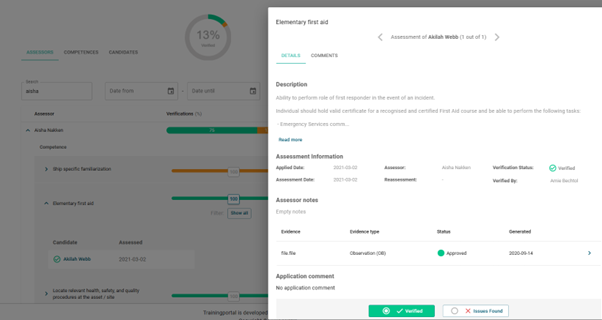
By reviewing the application in the slide-out menu. You are able to review and add evidence to the application. You may also wish to add comments to the application. Once satisfied with the outcome, the choice of Verified or Issues Found must be selected and submitted.
You can easily move to the next application by using the directional arrows located near the top of the slide out menu.