03. Course Automation
people found this article helpful
What are course automations?
Course automations allow you to enrol users to specific courses based on a target group of users you have created.
This can reduce administrator workload by having the system enrol your users on required courses based on rules that you control.
How can I create a new automation?
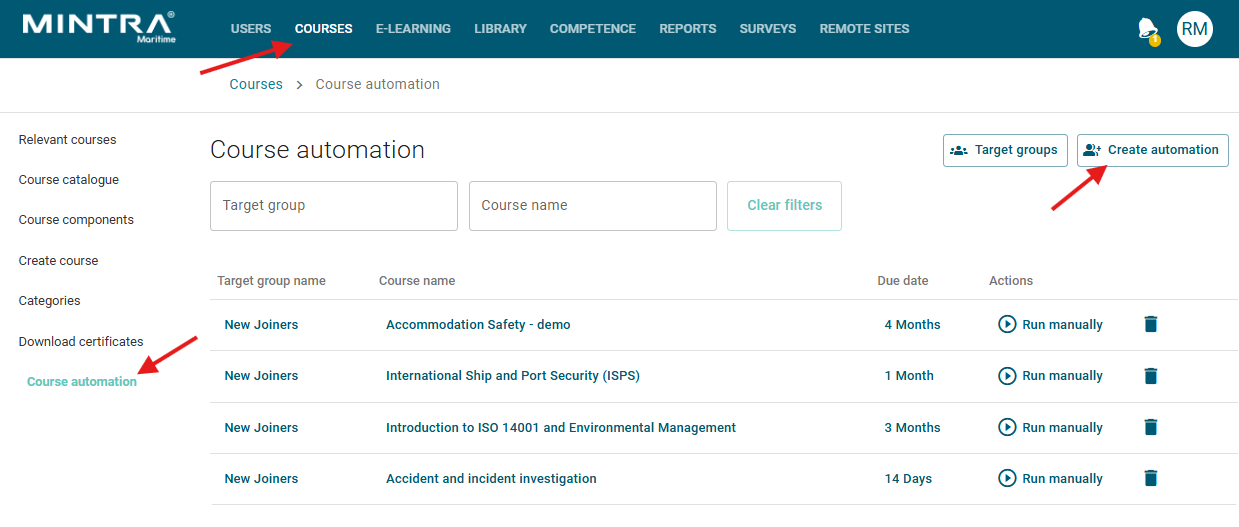
- To create a course automation, navigate to the courses screen on the admin UI, then click the course automation menu item on the left hand side. This will show you any existing course automations and allow you to run each one manually if required. Click create automation at the top of the page.
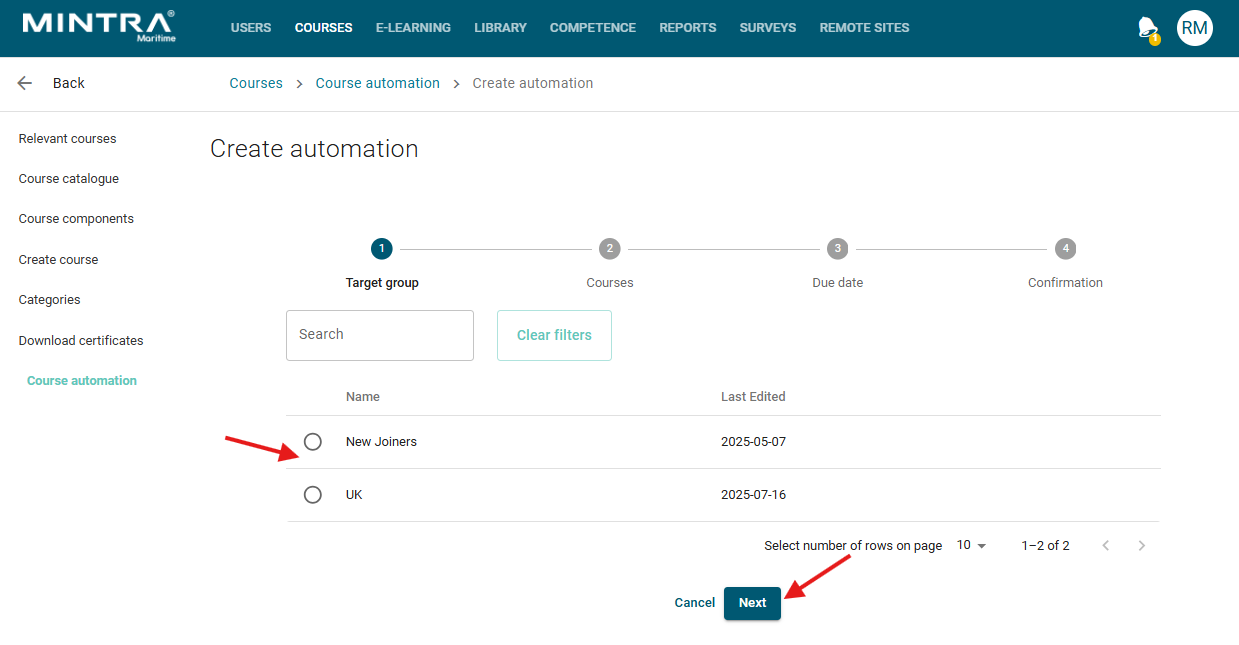
- You will see a list of your previously created target groups, select the group you wish to set the automation for.
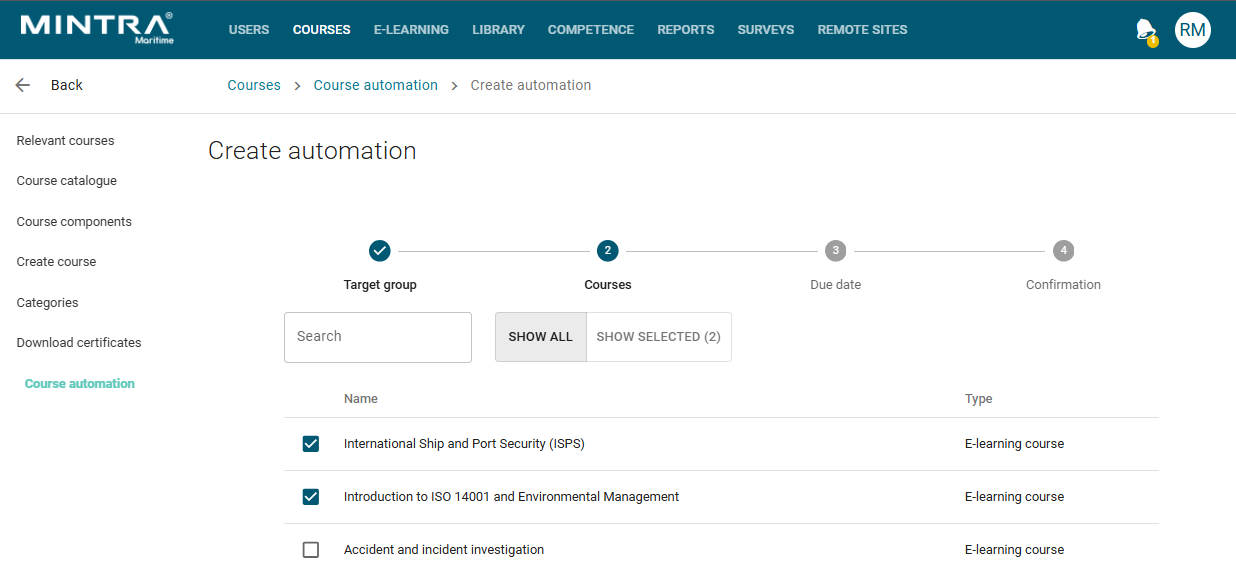
- You can now select one or many courses from the course list, tick each course as required and then click next.
- You can now optionally set a due date for the enrolments that will be issued when the rule activates, for more information on due dates, see here
- Click next and you will see the confirmation page detailing the automation rule you are about to add, if everything looks as expected, click submit.
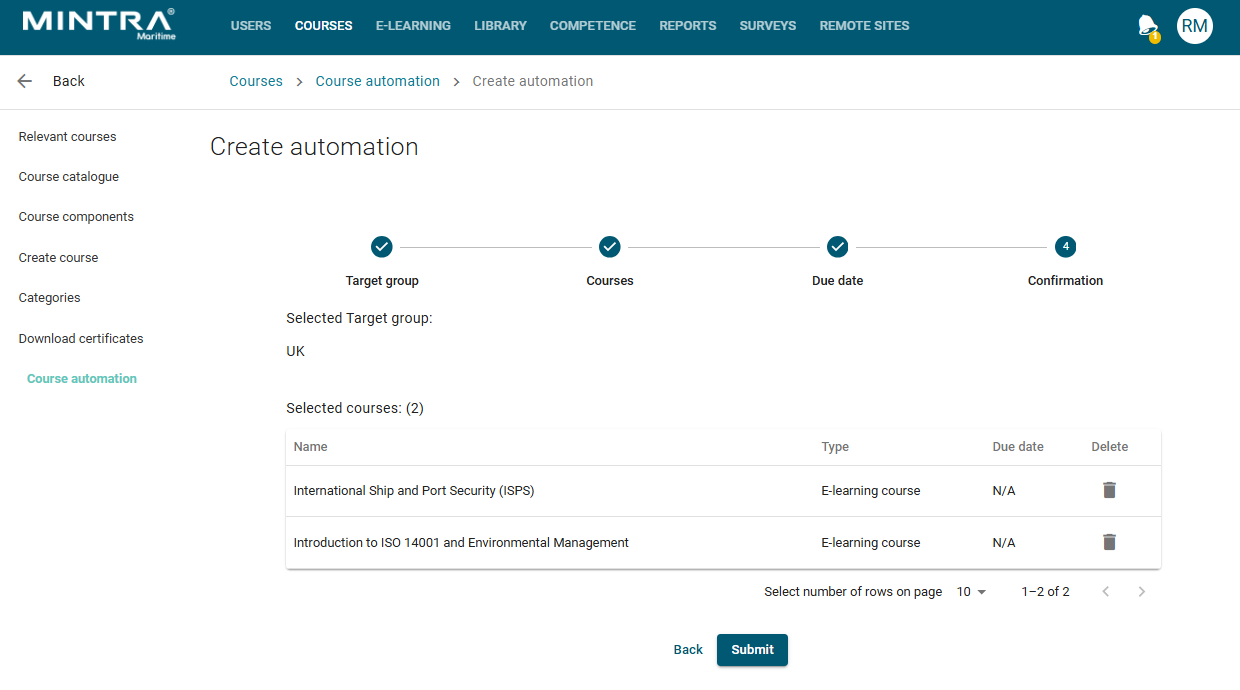
The automation rule will now be registered and will trigger whenever a user matches the conditions of the relevant target group.